Device Configuration Utility (version 2.03 or higher)
Device Configuration Utility allows the settings of the CS451/CS456 to be changed. Device Configuration Utility is included in LoggerNet and is also available at www.campbellsci.com/downloads  .
.
To use Device Configuration Utility, the transducer needs to be connected to the computer via the A200 (see Computer connection using the A200). After installing Device Configuration Utility and connecting the transducer to the computer, select CS451 from the Device Type list on the left column of the screen.
In the Communication Port box, select the COM port that was assigned to the A200 (see Determining which COM port the A200 has been assigned). Click on the Connect button to enable communication with the sensor. Once successfully connected, the screen should look like Connect screen.
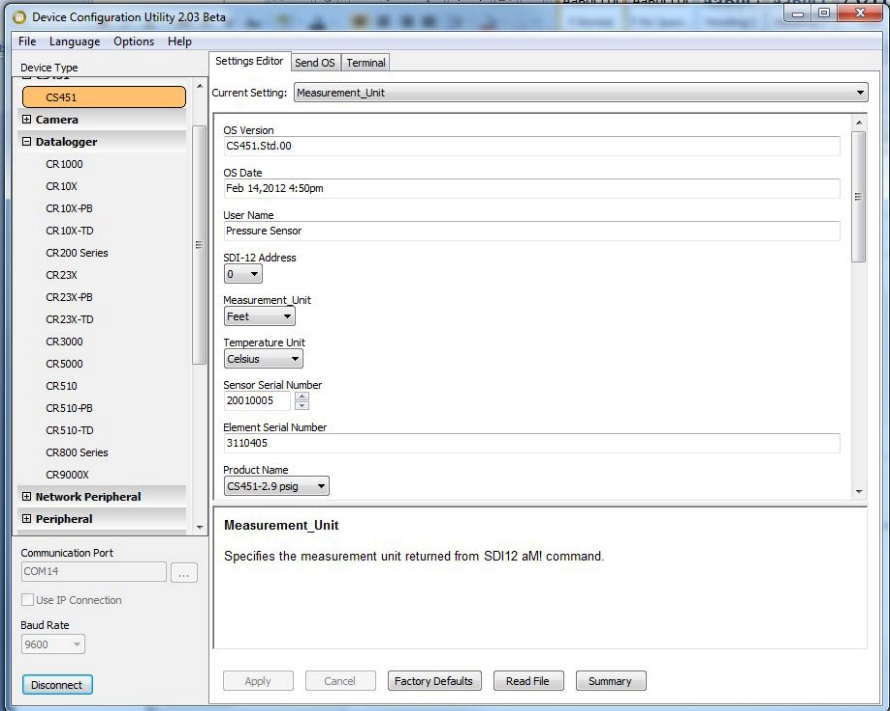
There are three settings that can be changed: SDI-12 address, Pressure/Level Units, and Temperature Units. Double-click on the window of the units to be changed. This will open a pick menu box. Select the desired units and Apply the changes.