Serial server/client mode option
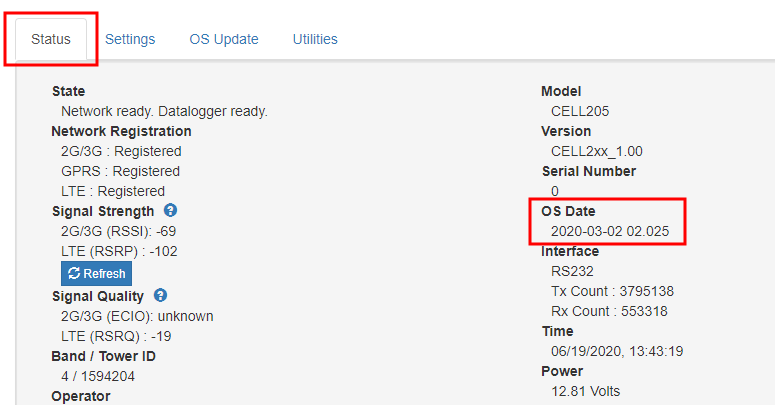
This mode requires CELL200 series operating system 2.00 or newer. Find the CELL200 series OS version in the OS Date field of the Status Tab. For more information, see Updating the operating system and firmware.
In serial server/client mode the module connects to the cellular network and opens a listening port. When a client connects to the listening port, the CELL200 series will be in "serial server" mode. In serial server mode, all data on the active port (RS-232 or CS I/O) will be routed through the listening port. When no client is connected to the listening port, the CELL200 series will be in "serial client" mode and all data on the active port will be sent and received through the initiated TCP client socket connection.
The incoming connection, or serial server mode, takes precedence. An outbound, or client, connection will be interrupted if a connection is made on the incoming, or server, listening port.
Instructions in this section assume that you have established cellular service and the SIM card has been installed as described in QuickStart (integrated mode).