Multi-organization management
Overview
Multi-Organization Management allows an existing CampbellCloud organization owner to create and manage multiple organizations directly from within CampbellCloud.
This feature is designed to support users who need to separate data, assets, users, and subscriptions across distinct organizations—while retaining centralized ownership and administrative control.
Creating a new organization
Organization owners can create a new organization by selecting Create New Organization from the Organization Selection menu.
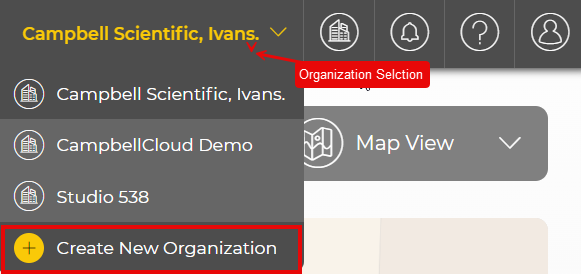
This option is only enabled for organization owners. For non-owner users, the option is visible but disabled (grayed out).
Confirmation dialog
When Create New Organization is selected, a confirmation dialog is displayed.
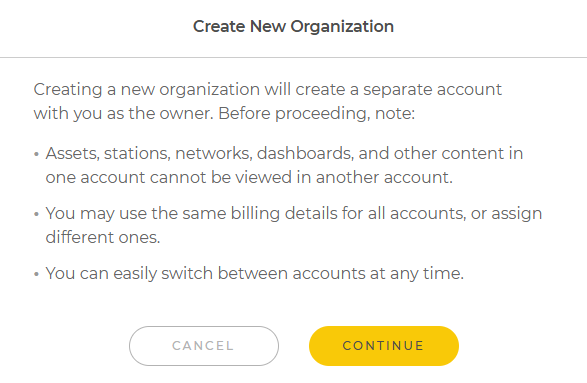
This dialog highlights important considerations before proceeding:
-
Each organization is a separate account.
-
Assets, stations, networks, dashboards, and other content cannot be shared between organizations.
-
Billing details may be reused or customized per organization.
-
Owners can easily switch between organizations at any time.
Select Continue to open the Create New Organization form.
Create New Organization form
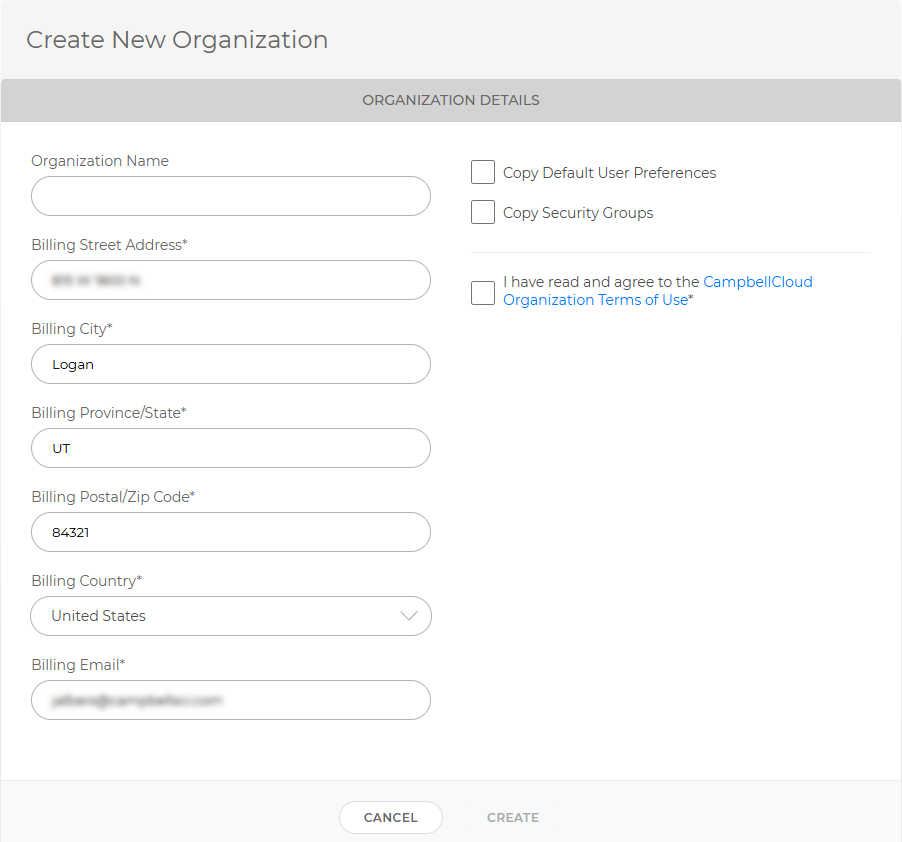
When creating a new organization:
-
Enter an Organization Name.
-
Billing information from the current organization is pre-populated, but can be edited if required.
-
You may optionally choose to:
-
Copy Default User Preferences from the current organization
-
Copy Security Groups from the current organization
These options simplify setup when creating multiple organizations with similar user structures or access controls.
-
-
You must agree to the CampbellCloud Organization Terms of Use.
-
Once the form is complete, select Create to provision the new organization and assign the user as an owner.
Access and permissions
The user who creates the organization is automatically assigned the owner role. As owner, they have full administrative control, including:
-
User and role management
-
Application access control
-
Subscription management
Organization owners can switch between organizations using the Organization Selection dropdown at any time.
For a common use case of multiple organizations see Use case: Value-added resellers (VARs).
