Watch RS-232 transmission
The following instructions show the process of using the terminal mode in the Device Configuration Utility to watch the RS-232 traffic to ensure that the data logger and TX325 GOES radio are communicating with each other:
-
Connect the data logger to the computer and access the Device Configuration Utility.
-
Click the Terminal tab.
-
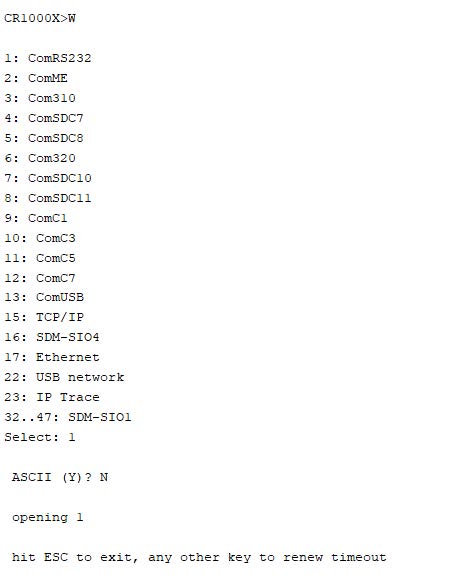
Press enter until CR1000X> (or a different data logger model) is displayed.
-
Type W and press Enter.
-
Type the RS-232 port number and press Enter.
-
When prompted for ASCII (Y), type N for no and press Enter.
-
After entering the communications watch mode for the GOES interface, either trigger the GOES communication or wait for a transmission to take place.
The data logger time is displayed on the left in the hh:mm:ss.sss format. After the time, either a T or an R is displayed. T indicates that the data logger is transmitting data to the GOES radio and R indicates that the data logger is receiving data from the GOES radio. After the T or R, the transmitted data is displayed.
If you answered Y for step 6, you wouldn't be able to read the raw data in the Terminal mode
The following shows an example RF traffic screen:
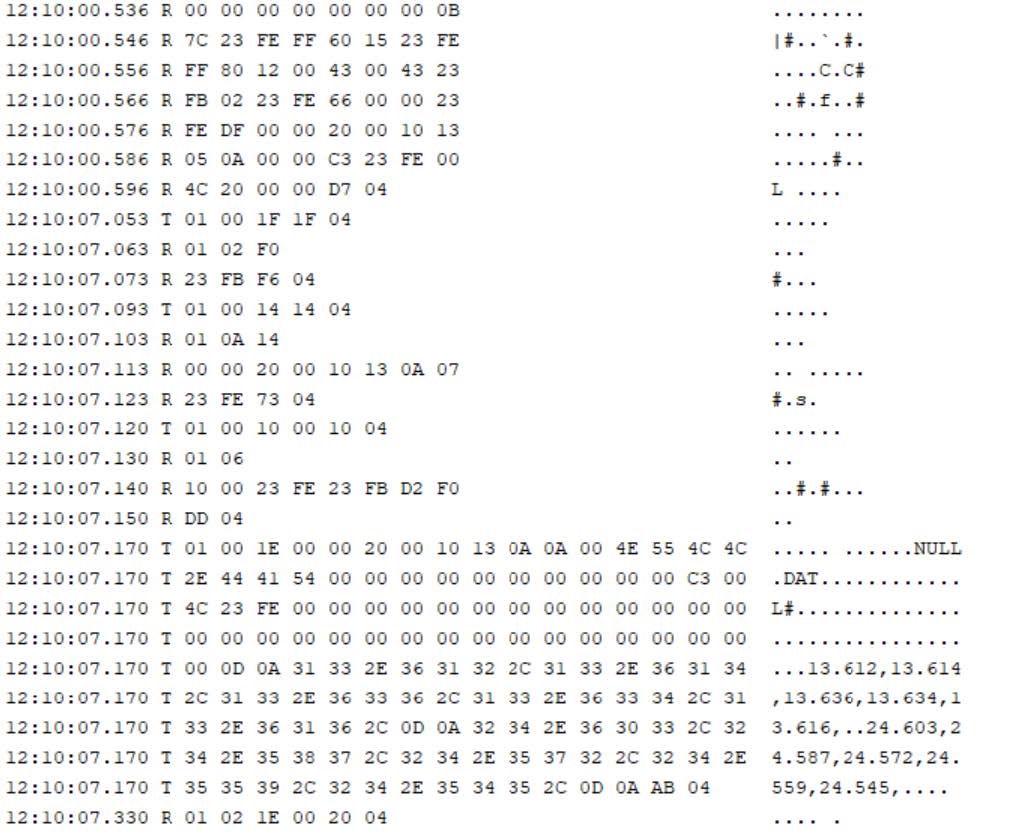
A full set of test results from a sniff showing the communications between the TX325 and a data logger is available in Watch test results.