Using the RF407-series as a stand-alone repeater (router)
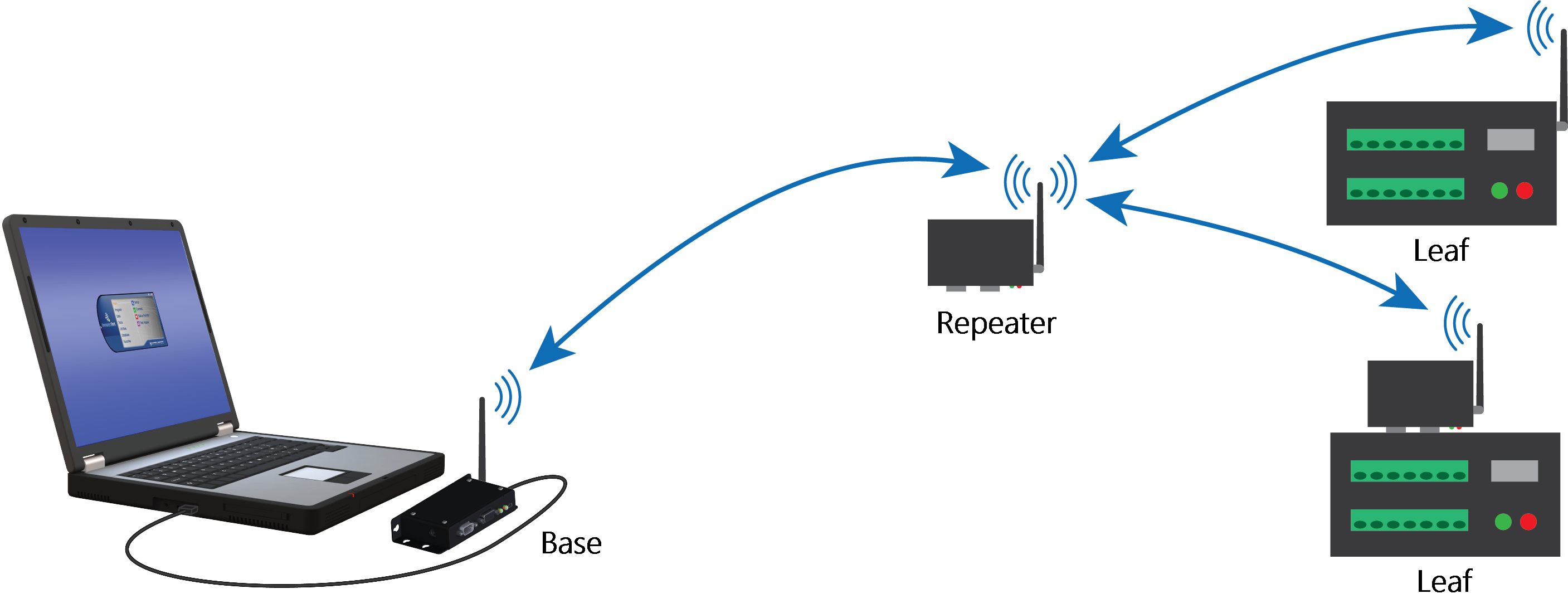
The RF407-series radio can be used as a stand-alone repeater in your network. This type of network configuration is useful for communicating around an obstacle, such as a hill or building, or to reach longer distances.
Configure stand-alone repeater radio
-
Ensure that an antenna is connected to the RF407-series radio.
-
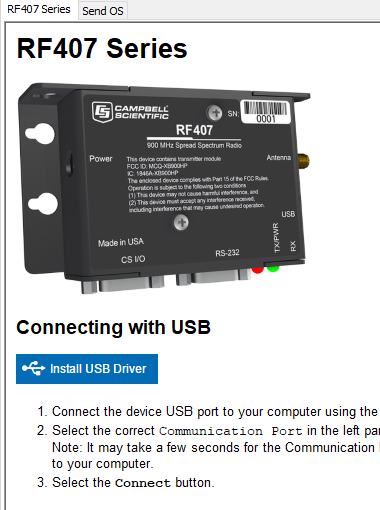
If connecting via USB for the first time, you must first install USB drivers using Device Configuration Utility (select your radio, then on the main page, click Install USB Driver).
-
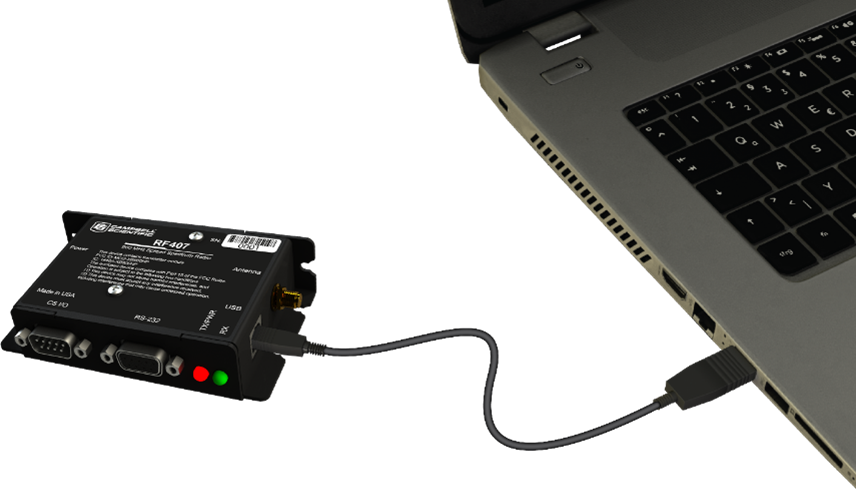
Connect the USBport on your RF407-series radio to your computer.
-
Using Device Configuration Utility, select the Communication Port used for your radio and connect to the RF407-series radio.
-
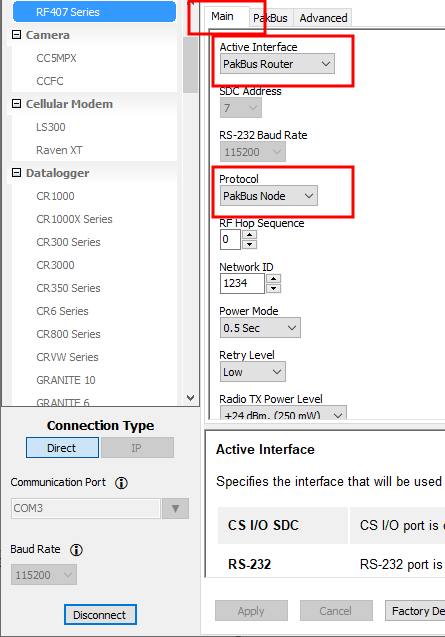
On the Main tab, set the Active Interface to PakBus Router and Protocol to PakBus Node. Leave the remaining settings as their defaults.
-
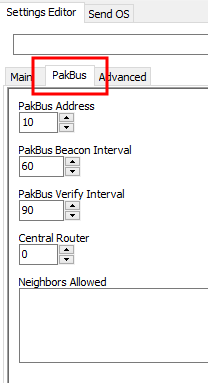
On the PakBus tab assign a unique PakBus address. Set the Beacon Interval to 60 seconds (or the amount of time you are willing to wait for the leaf data loggers in the network to be discovered). A beacon is a packet broadcast at a specified interval intended to discover neighbor devices. Set the Verify Interval to something slightly greater than the expected communications interval between the router and the other (leaf) data loggers in the network (for example, 90 seconds).
NOTE:Most Campbell Scientific devices come from the factory with a default PakBus address of 1. For this reason, it is best not to assign PakBus address 1 to any device in the network. Then, if a new device with default settings is added to the system, it will not create a conflict.
- Apply to save your changes.
Add stand-alone repeater to LoggerNet
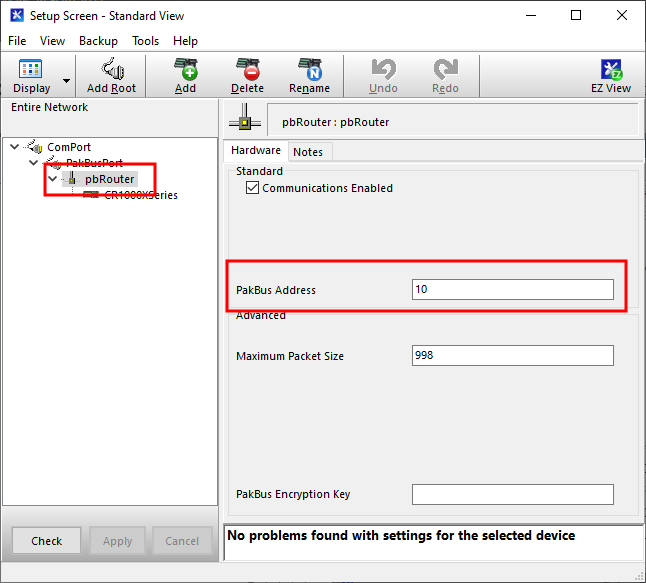
Enter the stand-alone repeater into the LoggerNet Setup screen. Add a pbRouter device with the PakBus address of the RF407-series radio in the PakBus Address field. If the repeater is the first hop from LoggerNet, it should always be shown in the network map. This will force routes to go through the repeater. If the repeater is further down the network, it may still be helpful to display it in the network map. However, it does not force routes to go through the repeater.