Configuring sensor via extended SDI-12 commands and terminal emulator
The RangeVue-series is fully configurable using SDI-12 extended commands through a terminal emulator program. The following instructions step you through the initial setup process. SDI-12 commands lists all the extended SDI-12 commands and the values that are returned. It is possible to completely reset the sensor to factory defaults settings as well. Most of the extended SDI-12 commands require 2 seconds to complete the change when the sensor is in normal power mode.
-
Connect the RangeVue-series to your data logger (Wiring to the data logger).
-
Connect to the data logger using LoggerNet and open the terminal emulator. In LoggerNet, the terminal emulator is located at: LoggerNet > Main > Connect > data logger > Terminal Emulator.
-
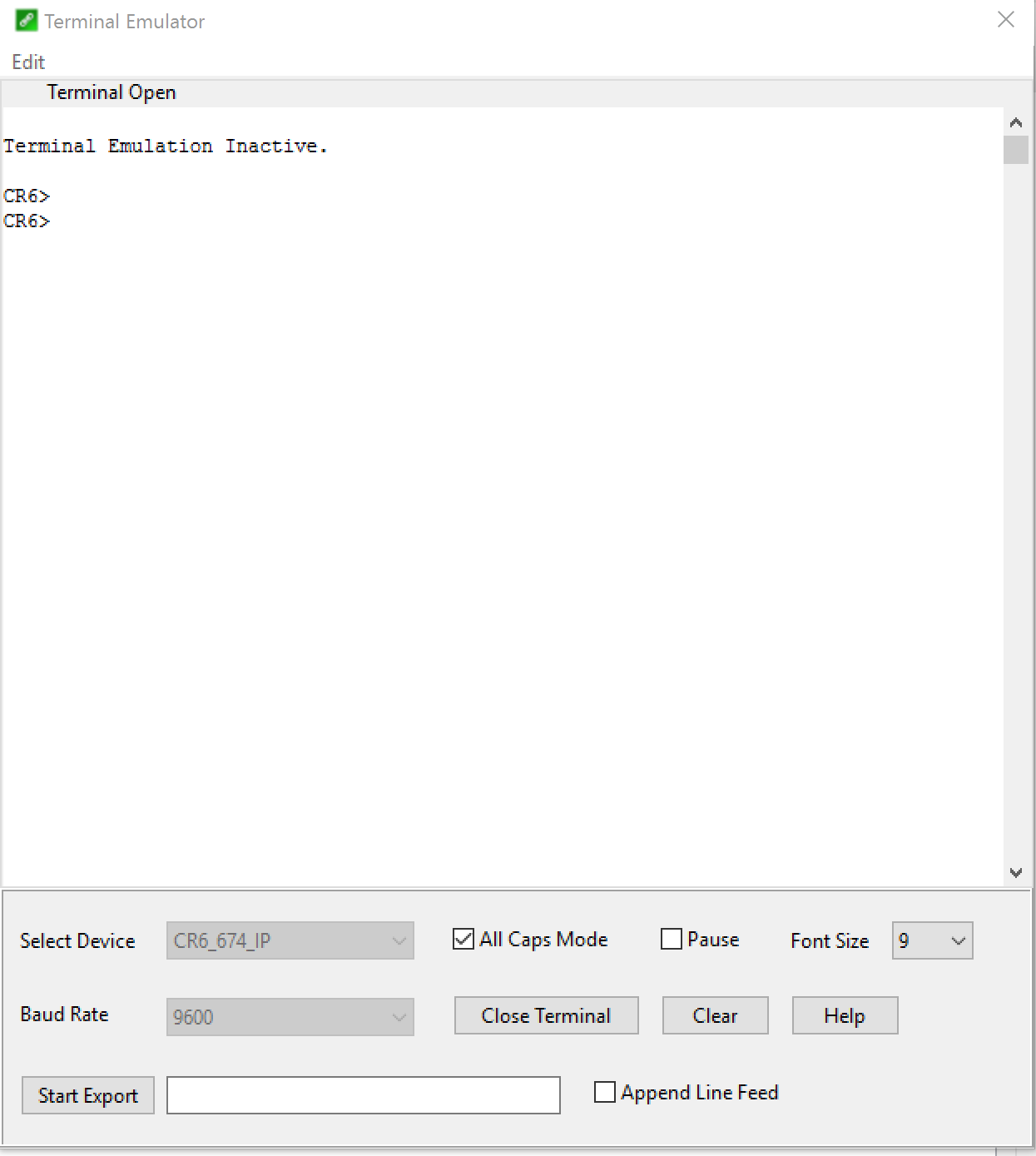
Click Open Terminal.
-
Press Enter until a prompt appears.
-
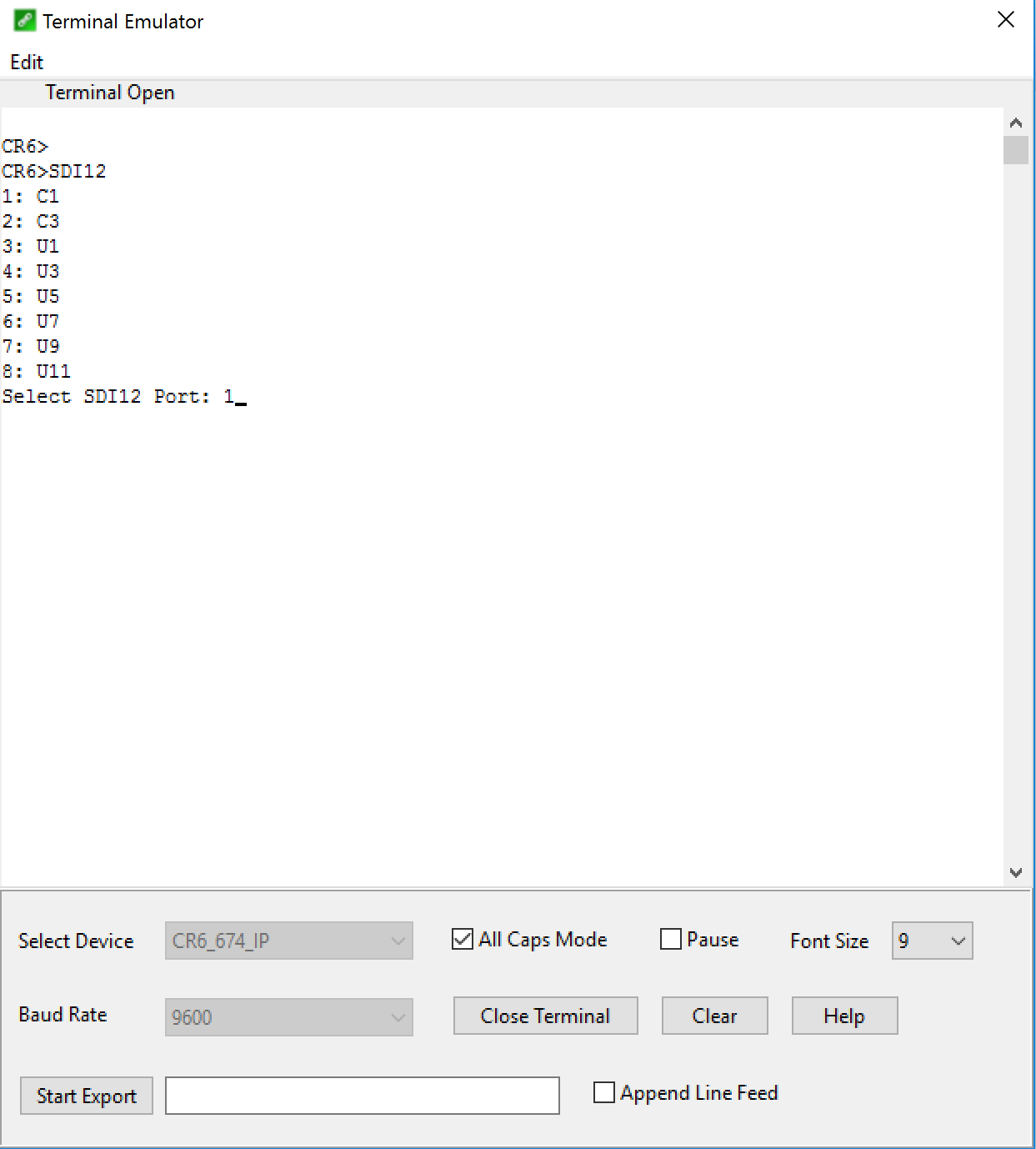
If using a Campbell Scientific data logger, type SDI12 <Enter> once the prompt is present.
-
Enter the number corresponding to the terminal your sensor is wired into.
-
Set the Current or Reference Stage. This should be set at deployment. Using a staff plate or other physical datum at the study site, measure and enter the current stage. This allows the sensor to complete an offset calculation based on the entered stage and the measured distance to water surface. Every future measurement will use the offset and measured distance to water surface to calculate water stage or depth.
Command: 0X
Response: 0+50.000+0
The sensor response includes the sensor address (0) + reference stage (50.000) +
-
The default SDI-12 address for the sensor is 0. Change the sensor address if you will have more than one SDI-12 sensor on the same terminal with the
aAb!command, where a is the current sensor address and b is the desired address. The sensor will respond with the new address if it was successfully changed.Command: 0A1!
Response: 1
-
The default stage/distance units are meters. To change the units, use the
aXWDU+d!command, wheredis 0 (meters), 1 [feet], 2 (millimeters), or 3 (inches). Refer to SDI-12 commands for more information. -
The default temperature units are degree Celsius. To change the units, use the
aXWTU+t!, wheretis 0 (°C), 1 (°F), or 2 (K). Refer to SDI-12 commands for more information. -
Set the Power Mode of the sensor. The default power mode is normal and has a numeric code of 1. Low power mode turns off the processor of the sensor in between measurements consuming significantly less power. However, it will take longer to respond to each measurement command since it will power down after a measurement is complete. Measurement time will be a function of boot time and the integration time. To run in low power mode, use the following command.
Command:
Response: 0+0+0
The sensor response includes the sensor address (0) + power mode (0) + error code (0