Configure Devices
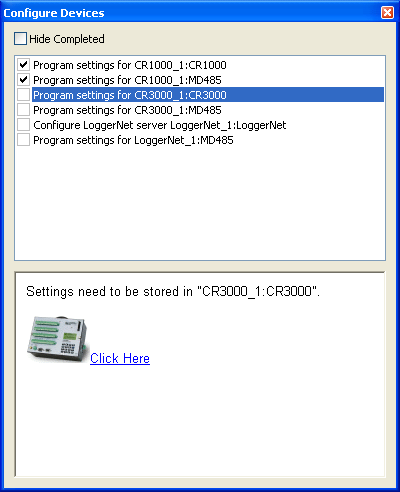
The Configure Devices panel lists tasks that need to be completed before the network can be deployed. These tasks include configuring any LoggerNet servers and writing settings to devices . The Configure Devices panel is divided into two sections. The list box at the top lists all of the Configure Devices items and provides check-boxes that allow these items to be checked off to indicate when an item has been completed. The bottom portion of the panel displays a more detailed description of the selected item. If the item has been completed, the description will include the date and time when it was completed. Unless the selected item must be performed manually (setting a dip-switch on a COM220, for instance), the item description will also contain a link that can be followed to initiate the action associated with that item. When the selected station on the drawing canvas changes, the selected item in the Configure Devices list box will also change to the item, if any, associated with the root device of that station.