Status Tab
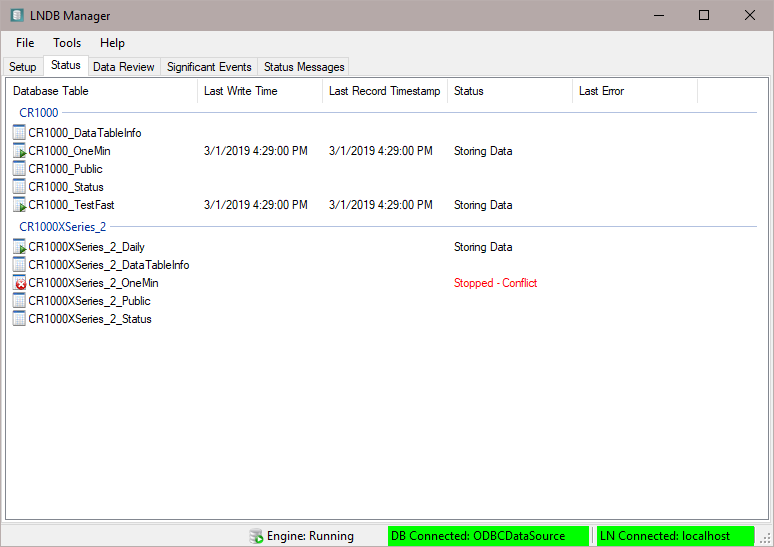
The Status tab shows the storage status for each datalogger table. The following columns are shown:
Database Table - The database table name for each station’s table. They are grouped by station.
Last Write Time - The last time that data was written to the database table.
Last Record Timestamp - The timestamp of the last record in the database table.
Status - There are 3 valid values:
Storing Data: Data for the table is being stored
Stopped – Conflict: The table has a conflict and storage has stopped.
Blank: Not storing data for this table
Last Error - The last database error (insert error, error creating a database table, or error retrieving the start conditions) for the given table. This value is only reset when you restart the engine.
The Status columns can be sorted. When you click a column other than the Database Table column, the grouping of tables by station is removed and the records are sorted. Click the Database Table column to again group the tables by station.
When the engine is stopped all engine statistics are cleared.