QuickStart
Short Cut is an easy way to program your data logger to measure the sensor and assign data logger wiring terminals. Short Cut is available as a download on www.campbellsci.com  . It is included in installations of LoggerNet, RTDAQ, or PC400.
The following procedure also describes programming with Short Cut.
-
Open Short Cut and click Create New Program.
-
Double-click the data logger model.
-
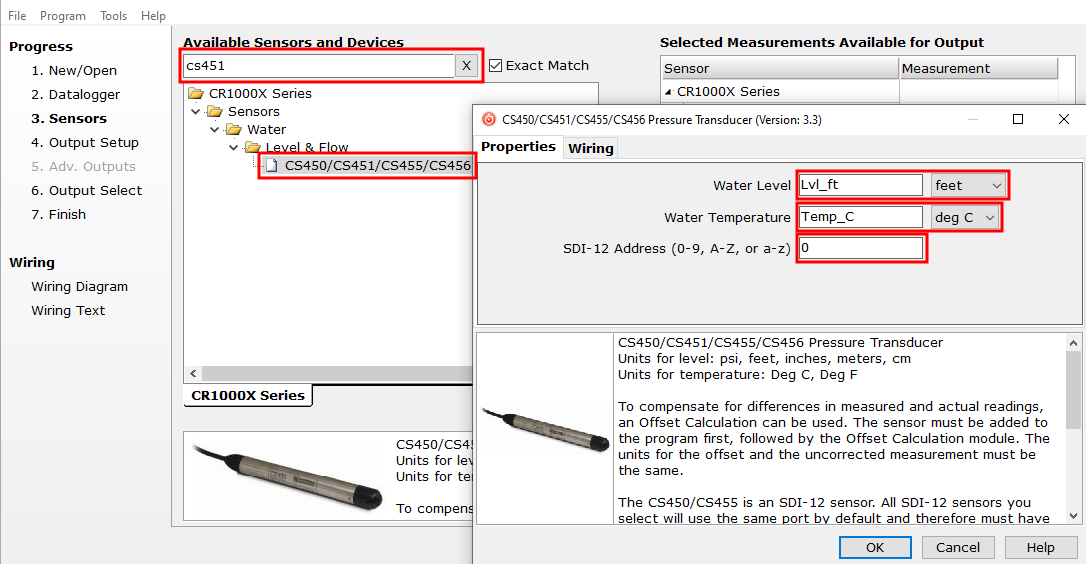
In the Available Sensors and Devices box, type CS451 or locate the sensor in the Sensors > Water > Level & Flow folder. Double-click CS450/CS451/CS455/CS456 Pressure Transducer. Water level defaults to feet and temperature defaults to degrees Celsius. These can be changed by clicking the Water Level or Temperature box and selecting a different option. Type the correct SDI-12 Address for the CS451.
-
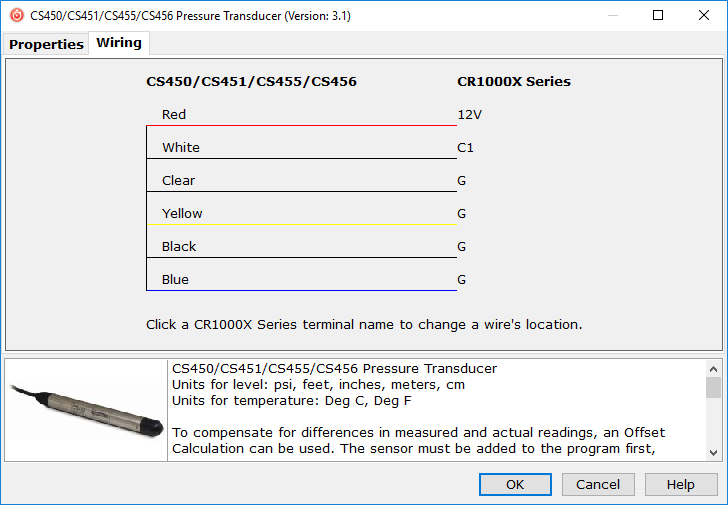
Click on the Wiring tab to see how the sensor is to be wired to the data logger. Click OK after wiring the sensor.
-
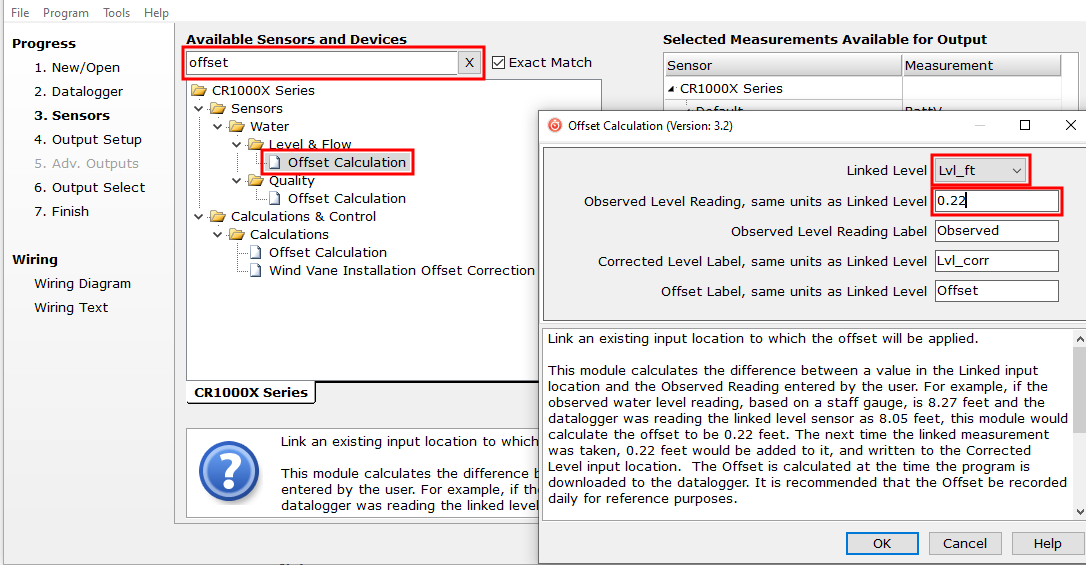
In the Available Sensors and Devices box, type Offset and double-click the Offset Calculation under the Sensors > Water > Level & Flow folder. For the Linked Level parameter, select the variable that stores the level measurement (typically Lvl_ft or Lvl_m). Type the initial water level in the Observed Level Reading box.
-
Repeat steps three and four for other sensors being measured. Click Next.
-
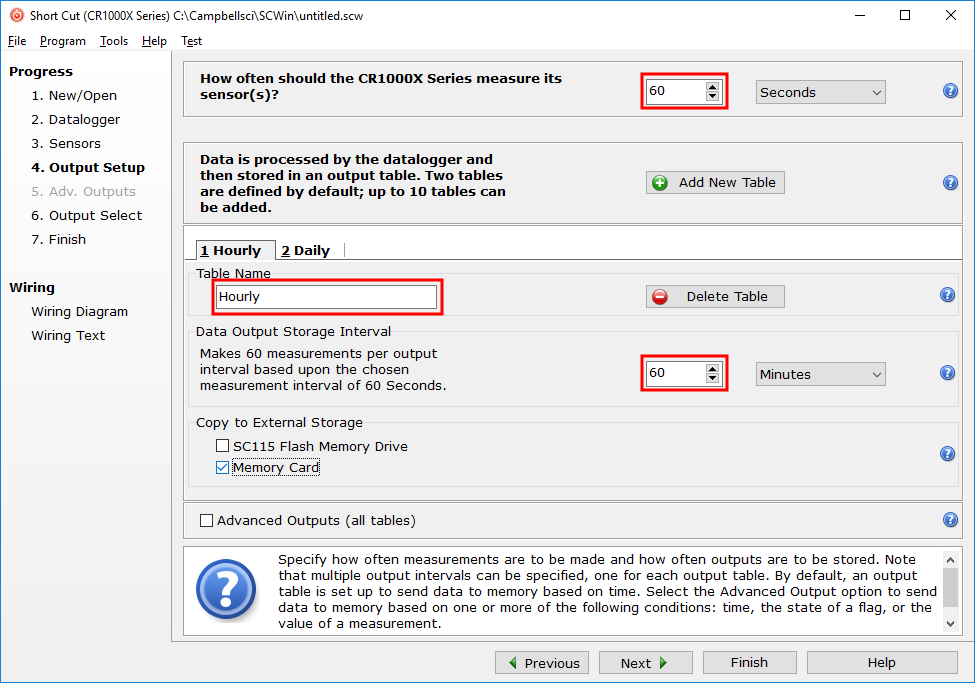
In Output Setup, type the scan rate, Data Output Storage Intervals, and meaningful table names.
-
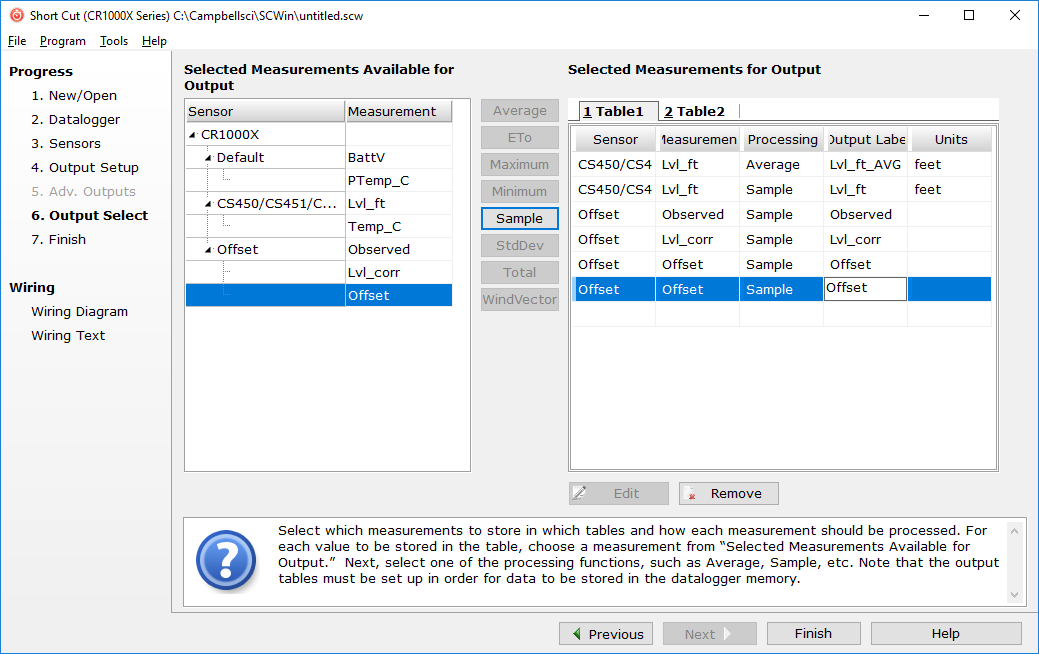
Select the measurement and its associated output options.
-
Click Finish and save the program. Send the program to the data logger if the data logger is connected to the computer.
-
If the sensor is connected to the data logger, check the output of the sensor in the data logger support software data display in LoggerNet, RTDAQ, or PC400 to make sure it is making reasonable measurements.
