Device Configuration Utility
Device Configuration Utility is bundled in Campbell Scientific data logger support software and can also be acquired, at no cost, from www.campbellsci.com/downloads  . Device Configuration Utility can be used to change the CS241DM G2 settings, view stored values, and update the operating system (OS). It also provides wiring information.
To use Device Configuration Utility, the CS241DM G2 must be connected to a computer and 12 VDC power source. A USB-to-RS-485 adapter is required to connect the CS241DM G2 to the computer. The following is the procedure for connecting to Device Configuration Utility:
-
Open the Device Configuration Utility.
-
Under Device Type, click CS240DM Series.
-
Follow steps listed under Connecting to a CM241DM Series sensor with a USB to RS-485 adapter.
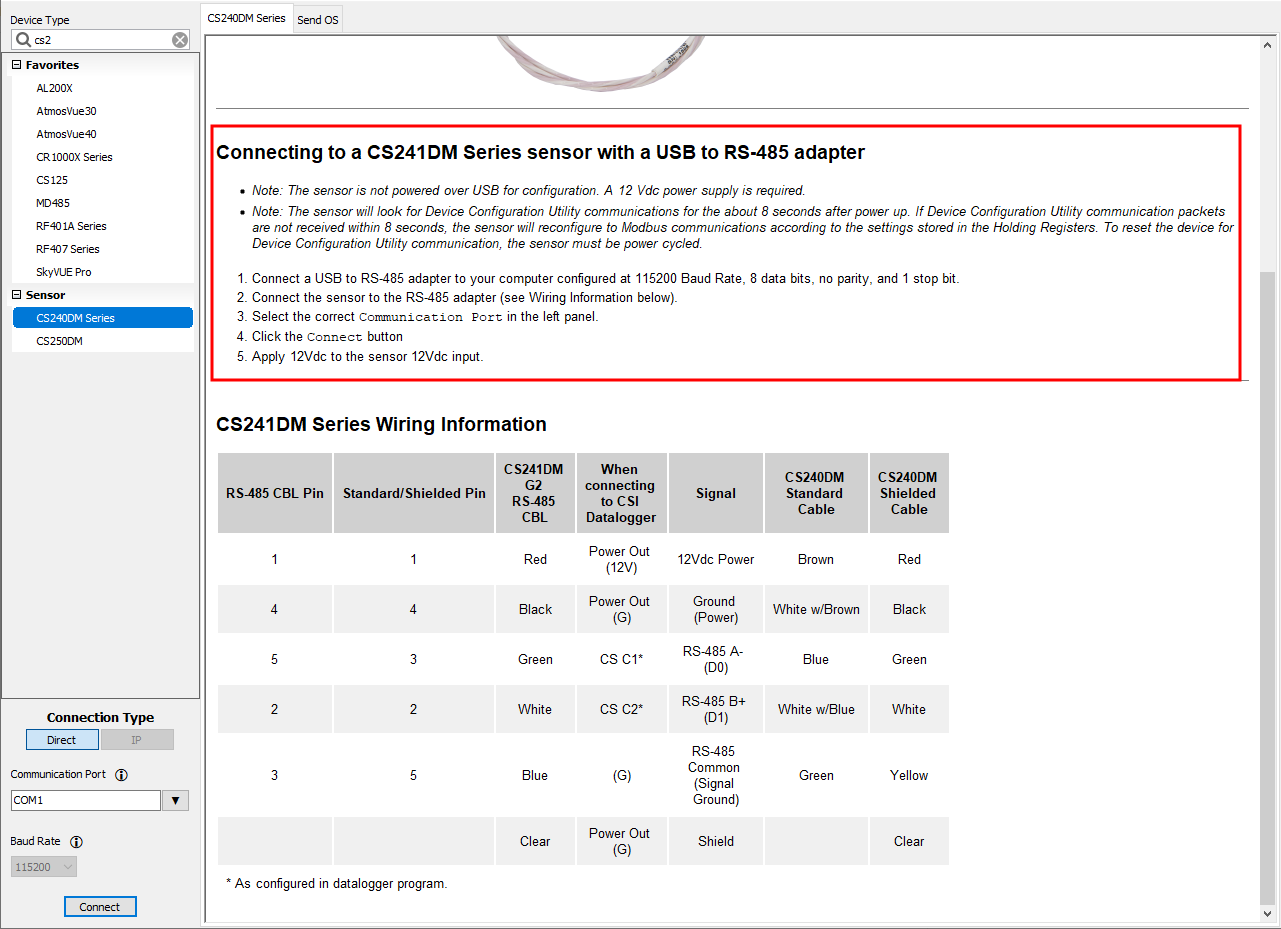
-
Click the Holding Registers tab to change the settings. Except for the Modbus Address, the default settings are typical for most Modbus systems and therefore, the settings rarely need to be changed.
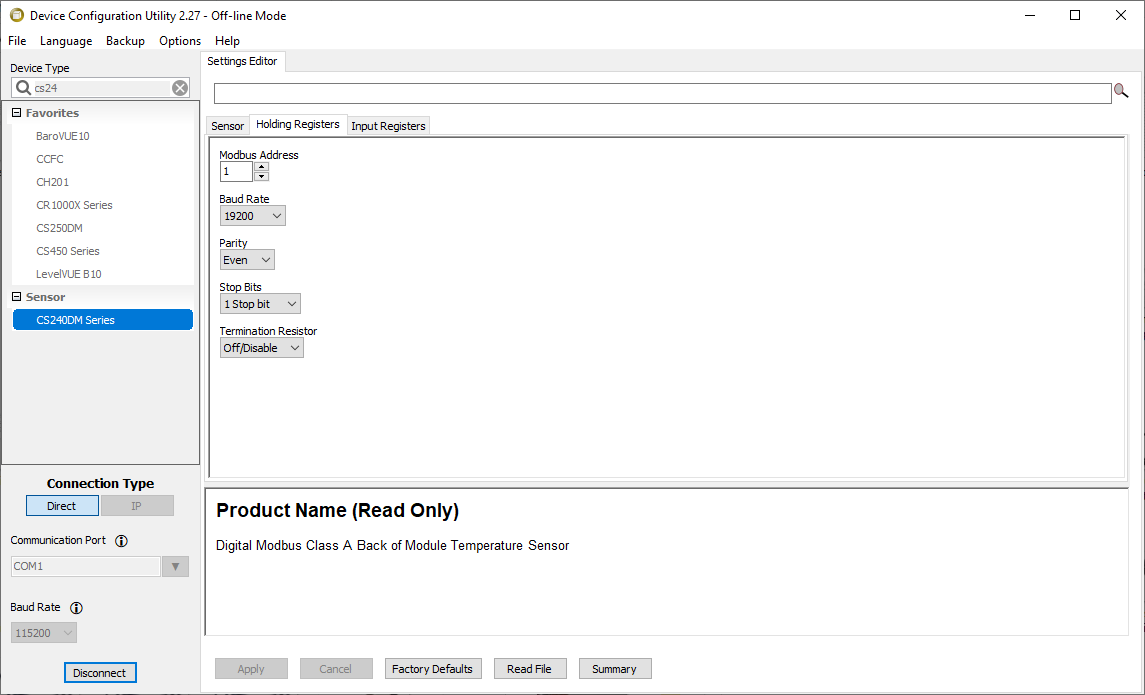
-
Click the Input Registers tab to view the values.