Measurement quickstart using SURVEYOR
Campbell Scientific SURVEYOR software is an easy way to quickly see measurement results and store data from a GRANITE Measurement Module. The module configuration can be saved on the computer or exported as a CRBasic data logger program. SURVEYOR is available as a download from www.campbellsci.com/cs-surveyor  . A video tutorial is available at www.campbellsci.com/videos/surveyor
 .
.
If your data acquisition system does not include a GRANITE Measurement Module such as the VOLT 100 series proceed to Programming quickstart using Short Cut.
This section will guide you through reading a differential Type-T thermocouple on a VOLT 100 series Measurement Module. With minor changes, these steps can apply to other compatible measurements and Measurement Modules.
-
Open SURVEYOR
 .
. -
Connect a USB cable between your computer and the VOLT 100 series USB port.
-
Apply 9.6 to 32 VDC external power using the green Power connector on the side of the VOLT 100 series.
-
Select Connect Now
 .
. -
Select the communications port, it will be labeled similar to VOLT 100 series (COM3).
-
Make selections for Speed or Noise Rejection and CAN enabled. See the SURVEYOR help
 for more information on all settings.
 -
Click Apply.
-
Select a Sample Rate. For this exercise, select 10 Hz. (1/2 Hz is typical for thermocouple measurements.)
-
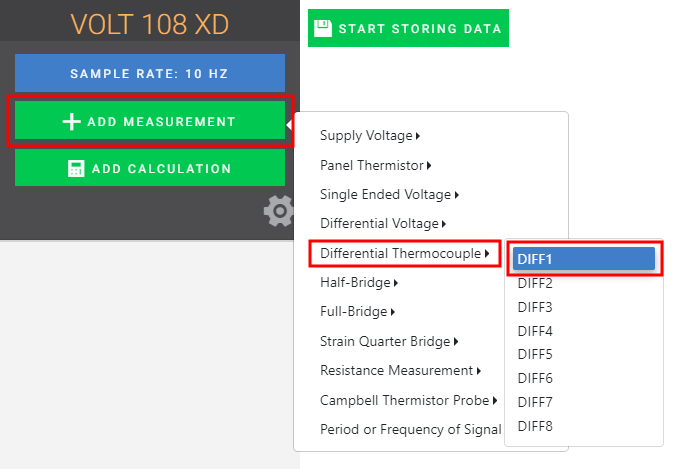
(Click image to expand/collapse display) -
Wire the sensor according to the given wiring diagram.
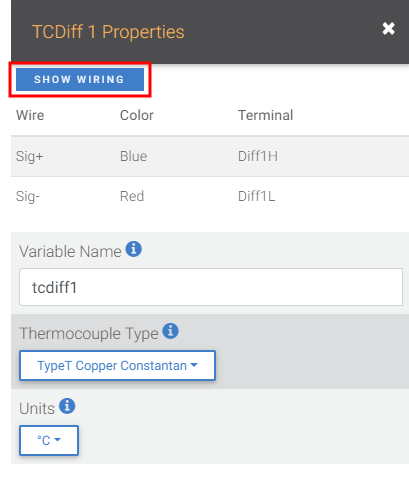
(Click image to expand/collapse display) -
Complete the rest of the form and Apply to save the configuration.
-
Check the resulting measurements in the numeric and graphic displays.
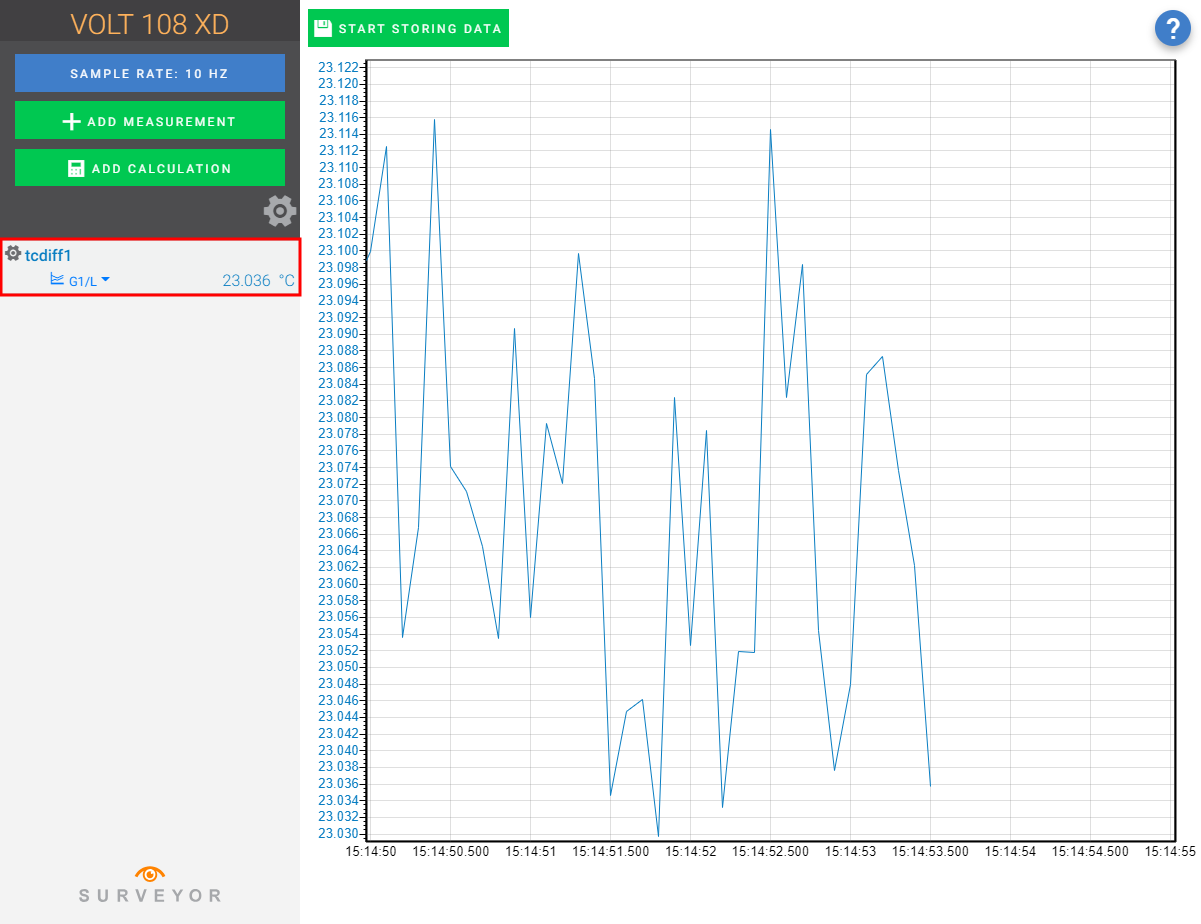
(Click image to expand/collapse display) -
Click Start Storing Data
 . While data is being stored the options to stop and pause data storage become available.