QuickStart
A video that describes data logger programming using Short Cut is available at: www.campbellsci.com/videos/cr1000x-data logger-getting-started-program-part-3  . Short Cut is an easy way to program your data logger to measure the sensor and assign data logger wiring terminals. Short Cut is available as a download on www.campbellsci.com
  . It is included in installations of LoggerNet, RTDAQ, and PC400.
The following procedure also describes programming with Short Cut.
-
Open Short Cut and click Create New Program.
-
Double-click the data logger model.
-
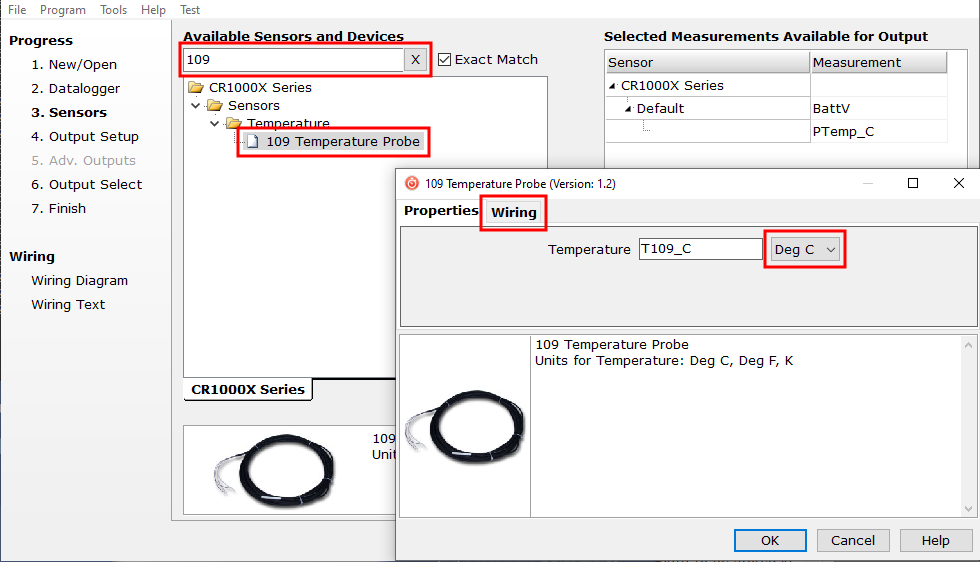
In the Available Sensors and Devices box, type
-
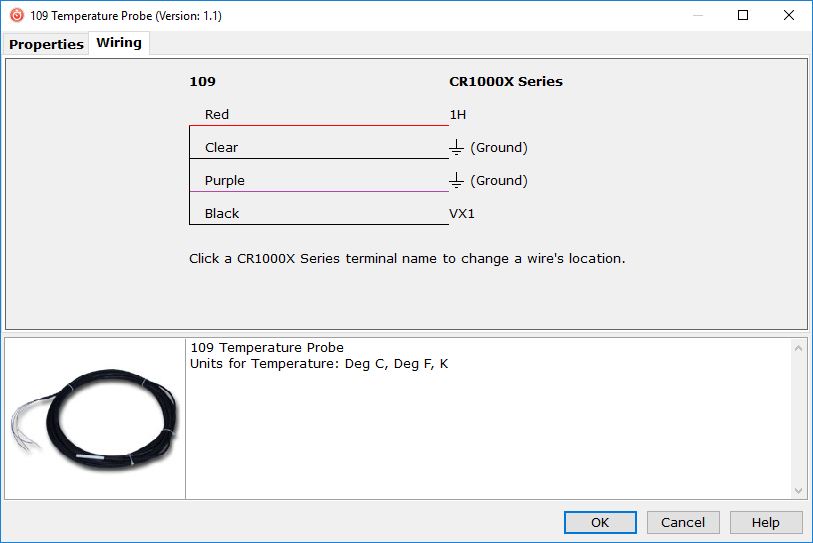
Click the Wiring tab to see how the sensor is to be wired to the data logger. Click OK after wiring the sensor.
-
Repeat steps three and four for other sensors being measured. Click Next.
-
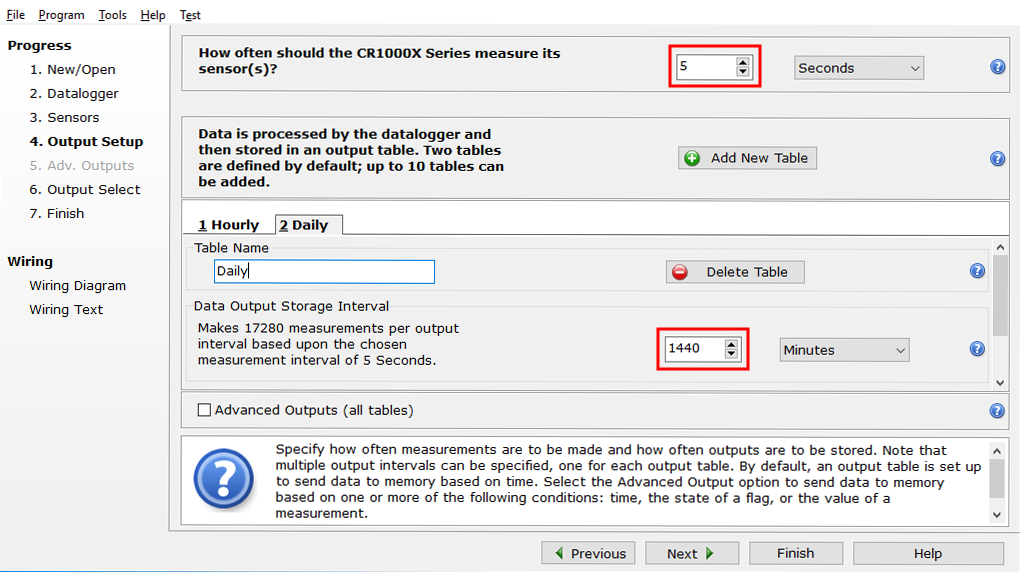
In Output Setup, type the scan rate, Data Output Storage Intervals, and meaningful table names.
-
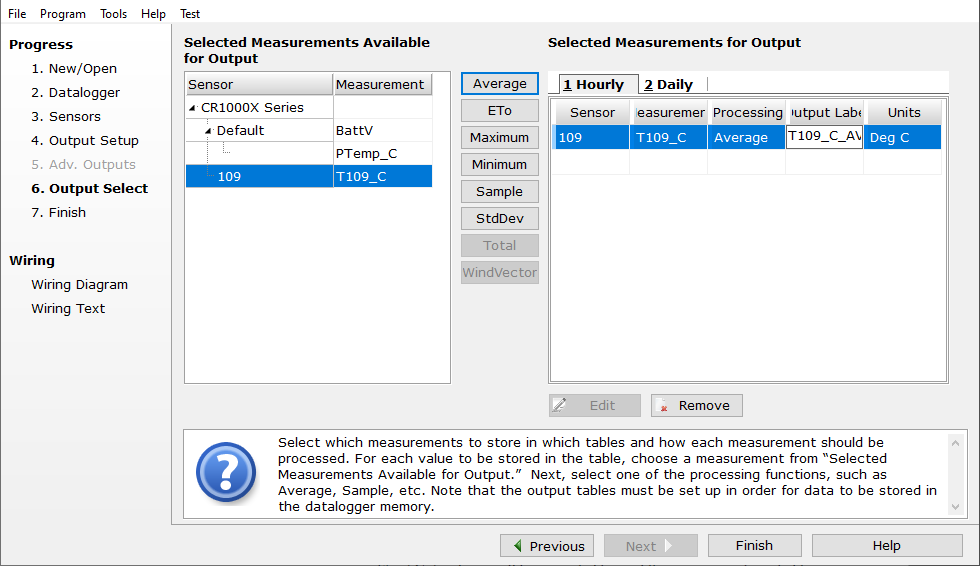
Select the measurement and its associated output option.
-
Click Finish and save the program. Send the program to the data logger if the data logger is connected to the computer.
-
If the sensor is connected to the data logger, check the output of the sensor in the data display in LoggerNet, RTDAQ, or PC400 to make sure it is making reasonable measurements.